Response time: 4ms GTG Extreme; 5ms Fast; 8ms Normal
Brightness: 300 cd/m² typical
Contrast ratio: 3,000:1 typical
Colour support: Up to 1.07 billion colours
Colour gamut: 99% sRGB; 95% DCI-P3
Viewing angles: 178° horizontal / 178° vertical
HDR: HDR10
Adaptive sync: AMD FreeSync Premium
Screen coating: Anti-glare, 3H hard coating
Speakers: 2 × 5W integrated speakers
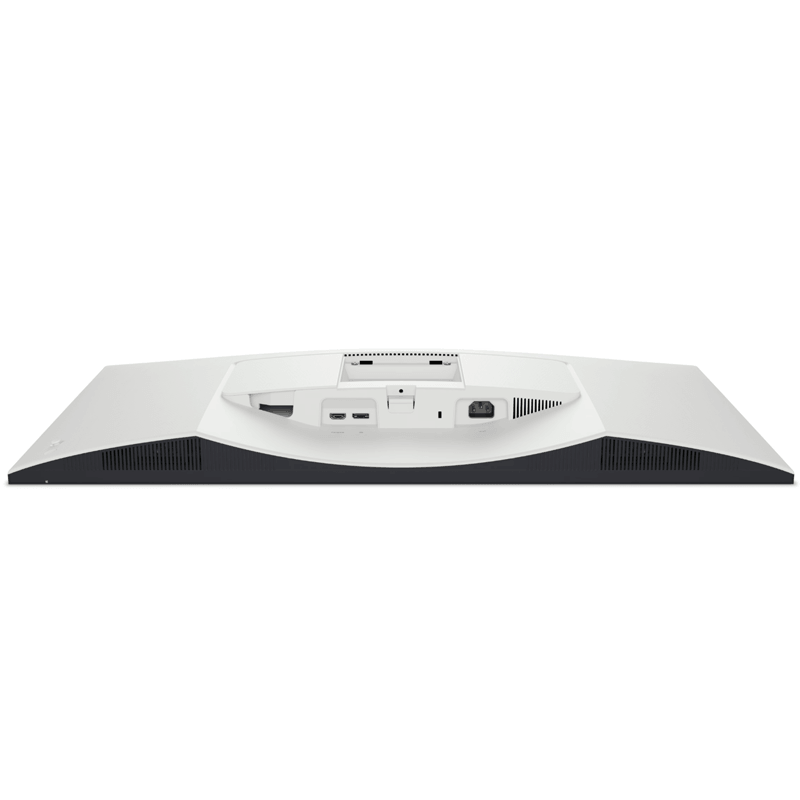
HDMI: 2 × HDMI 2.1
DisplayPort: 1 × DisplayPort 1.4
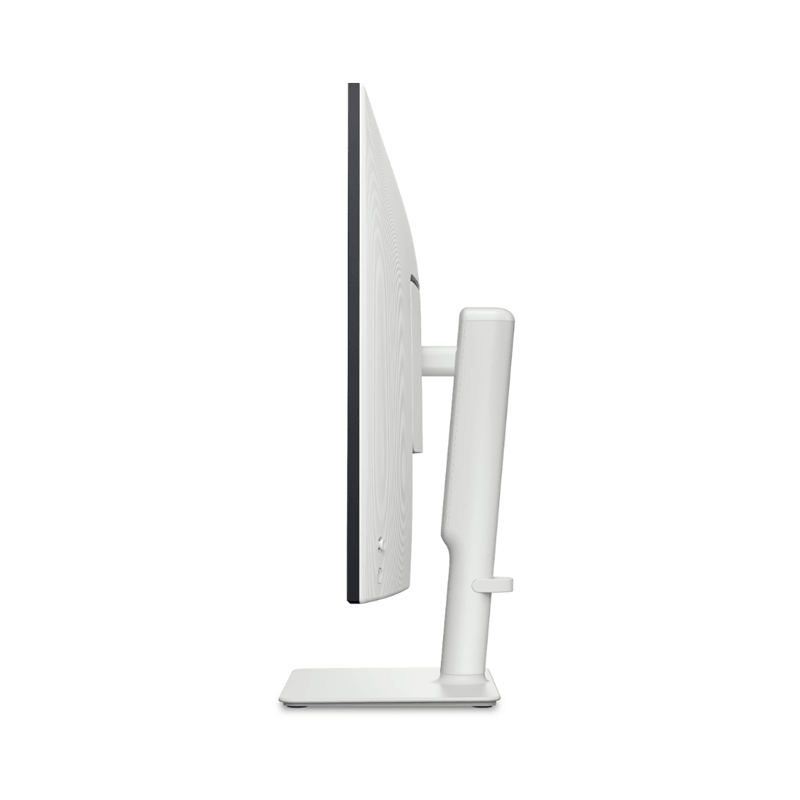
Height adjustment: Up to approximately 100mm
Tilt adjustment: -5° to 21°
Slant adjustment: Approximately -4° to +4°
VESA mounting:100 × 100mm
Secure Payment Options
Your payment information is processed securely. We do not store credit card details nor have access to your credit card information. NB: Prices are subject to change without notice
Shop for the Dell 32 Plus 4K Monitor S3225QS – 31.5-Inch UHD, 120Hz, HDR10, FreeSync Premium in Nairobi, Kenya
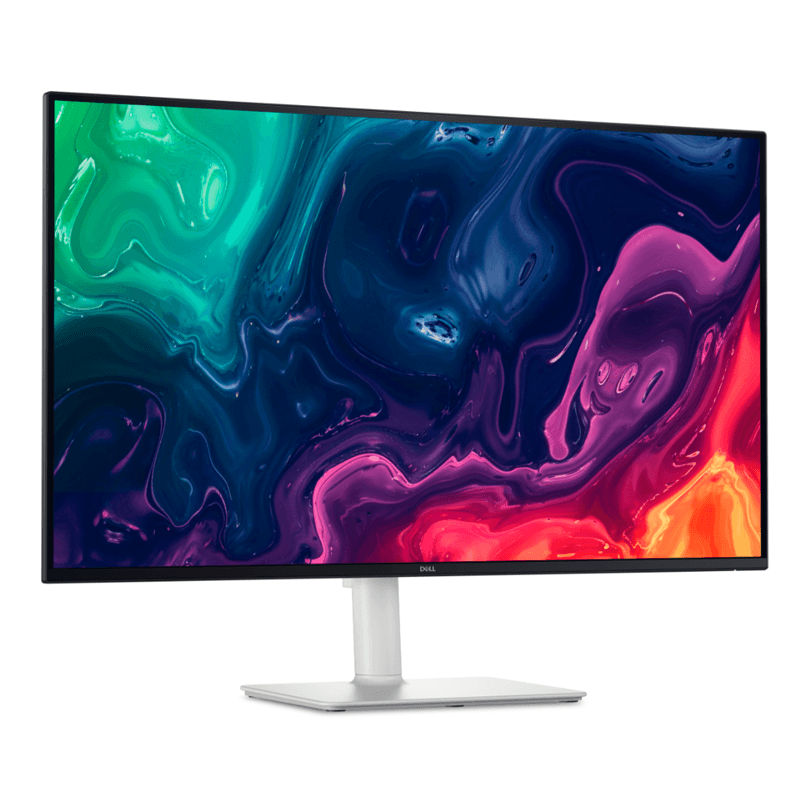
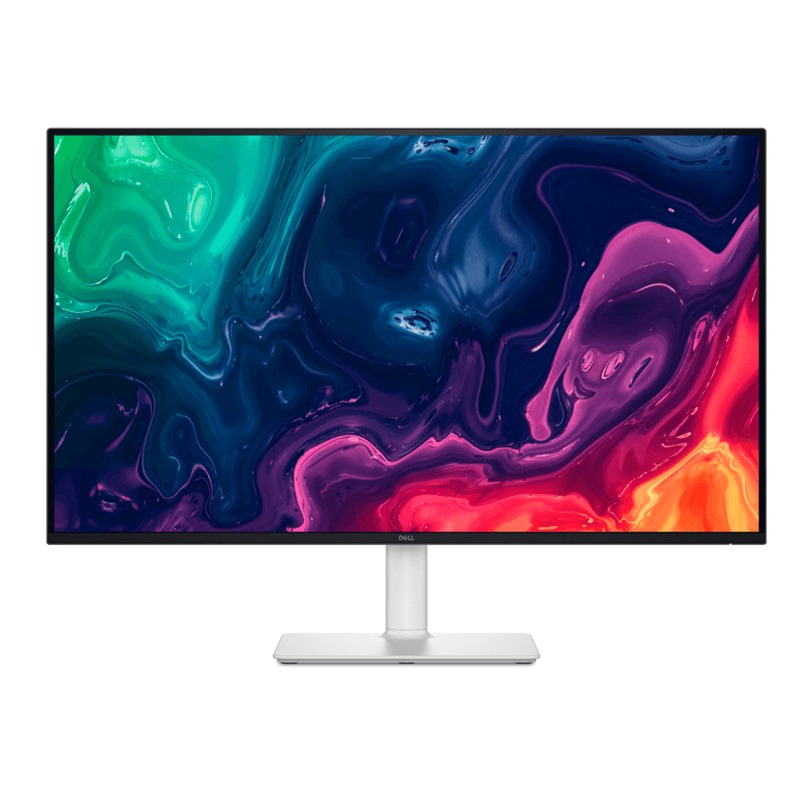
Upgrade your desk, gaming setup or entertainment space with the Dell 32 Plus 4K Monitor S3225QS, a premium 31.5-inch display built for sharp visuals, smooth motion and immersive viewing. With 4K Ultra HD resolution, a 120Hz refresh rate, HDR10 support and integrated stereo speakers, this Dell monitor brings together high-resolution detail and fluid performance for work, entertainment and compatible gaming systems.
Whether you are a professional working with multiple documents, a content enthusiast watching movies, a gamer looking for smoother gameplay or a business upgrading its computer workstations, the Dell S3225QS delivers a spacious display designed to make everyday screen time more engaging.
Its 3840 × 2160 4K UHD resolution provides four times the pixel count of Full HD, giving text, images and compatible video content a high level of detail. The VA panel offers a 3,000:1 typical contrast ratio, while the 120Hz refresh rate helps motion appear smoother than on a standard 60Hz display.
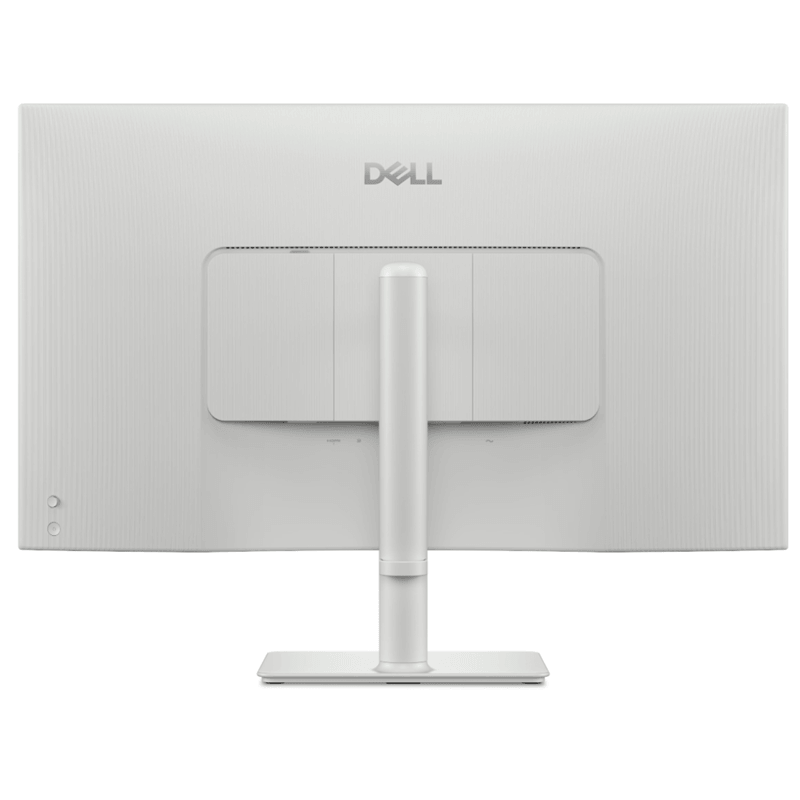
Finished in elegant Ash White, the monitor complements modern home offices, professional workspaces and entertainment setups. Height, tilt and slant adjustments also help you position the screen for a more comfortable viewing experience.
If you are looking for a Dell 4K monitor in Kenya to pair with a compatible Dell, Lenovo, HP or other laptop or desktop computer, the S3225QS is a versatile option for productivity and entertainment.
Key Features and Benefits of the Dell S3225QS 4K Monitor
1. Stunning 31.5-Inch 4K UHD Resolution
Experience more detail on the 31.5-inch 4K UHD screen, with a resolution of 3840 × 2160 pixels. The extra resolution provides a spacious digital workspace for spreadsheets, presentations, research, document editing and multitasking.
For professionals, the larger screen can make it easier to view detailed information and keep multiple windows visible. For entertainment, compatible 4K content can look crisp and detailed when viewed at an appropriate distance.
The 16:9 aspect ratio also makes the monitor suitable for movies, online video, everyday computing and compatible gaming setups.
2. Smooth 120Hz Refresh Rate for Work and Gaming
Enjoy smoother movement with the monitor’s 120Hz refresh rate. Compared with a conventional 60Hz display, a 120Hz screen can update the image more frequently, helping scrolling, cursor movement and supported games feel more fluid.
This can be useful for compatible PC games, fast-moving video and everyday desktop navigation. The monitor also supports AMD FreeSync Premium, which helps synchronise supported graphics output with the display to reduce screen tearing under compatible conditions.
To experience 4K at 120Hz, your computer, graphics hardware, game or video source and cable connection must support the required output. Actual gaming performance also depends on the capabilities of your system.
3. HDR10 for More Vivid Compatible Content
The Dell S3225QS supports HDR10, allowing compatible content and devices to use high-dynamic-range image information.
HDR content can provide more expressive highlights and a wider range of tonal detail than standard dynamic-range content when the source and settings are correctly configured. The monitor’s 300-nit typical brightness and 3,000:1 contrast ratio contribute to its everyday viewing performance.
HDR results vary by content, settings and the capabilities of the source device. This is a consumer 4K monitor rather than a specialised reference HDR display.
4. VA Panel with 3,000:1 Contrast Ratio
The VA panel provides a typical 3,000:1 contrast ratio, helping distinguish darker tones from brighter areas of an image.
This is useful when watching movies, viewing photographs, playing games or working with content that contains a mixture of dark and bright scenes. The monitor supports 178-degree horizontal and vertical viewing angles, giving you flexibility when positioning the screen.
For everyday work, the panel combines high resolution, strong contrast and broad viewing angles in a large-screen format.
5. Rich Colour with 99% sRGB and 95% DCI-P3 Coverage
Enjoy a broad range of colours with the Dell S3225QS, which supports 99% sRGB and 95% DCI-P3 colour gamut coverage according to Dell’s specifications.
This colour performance is useful for everyday photo viewing, digital content, presentations, streaming and general creative tasks. It can also support hobbyist content creation and visual work where a broad colour range is desirable.
For professional colour-critical work, use appropriate calibration and check whether the monitor meets the colour accuracy requirements of your particular workflow.
6. Integrated Dual 5W Speakers
Keep your setup simple with two built-in 5W speakers, providing 10W of total speaker output.
The integrated speakers are convenient for online videos, meetings, music, system audio and casual entertainment without needing a separate speaker system for basic use.
For more private listening or a dedicated audio setup, you can use compatible external audio equipment. The monitor does not include a built-in webcam, so users who need video calls will need a separate webcam or a computer with its own camera.
7. HDMI 2.1 and DisplayPort 1.4 Connectivity
Connect compatible computers, consoles and other video sources using the monitor’s display inputs:
2 × HDMI 2.1 ports: Support compatible 4K UHD input up to 120Hz, including supported HDR and variable refresh rate features.
1 × DisplayPort 1.4: Supports compatible 4K UHD input up to 120Hz, HDR and variable refresh rate.
These connections provide flexibility for a workstation with a desktop PC and laptop, or for connecting supported gaming and entertainment devices.
The monitor does not provide USB-C laptop charging or a USB hub. If your laptop only has USB-C video output, you may need a compatible USB-C-to-DisplayPort or USB-C-to-HDMI adapter that supports your desired resolution and refresh rate.
8. Height, Tilt and Slant Adjustments
Create a more comfortable workstation with the monitor’s adjustable stand. You can raise or lower the display, tilt it forwards or backwards, and make small slant adjustments to suit your setup.
The stand offers up to approximately 100mm of height adjustment, with a tilt range of -5° to 21° and slant adjustment of approximately -4° to +4°.
The monitor also supports 100 × 100mm VESA mounting, allowing you to use a compatible monitor arm or wall mount if you prefer a different desk arrangement. A separate mount may be required.
9. Eye-Comfort Features for Extended Viewing
If you spend long periods working, studying or watching content, display comfort is an important consideration. The Dell S3225QS includes ComfortView Plus technology, designed to reduce blue-light emissions while maintaining colour performance.
Its anti-glare screen coating helps limit distracting reflections in typical indoor lighting, while Dell’s eye-comfort certification provides an additional reference for shoppers comparing monitors.
These features cannot eliminate eye fatigue for everyone. Adjust your brightness to suit the room, maintain a comfortable viewing distance and take regular breaks during extended use.
10. Modern Ash White Design
The Ash White finish gives the Dell S3225QS a clean, contemporary look that suits a modern home office, gaming desk or professional workspace.
Its narrow-bezel design keeps attention on the display and works well with a minimalist desk setup. The included stand provides the supported ergonomic adjustments without requiring a separate mounting accessory.
The monitor is suitable for users who want a large 4K screen that combines a polished appearance with practical features for daily use.
Who Should Buy the Dell S3225QS 4K Monitor in Kenya?
Professionals and office users: Benefit from a spacious 4K workspace for spreadsheets, presentations, research, reports and multitasking.
Remote workers and students: Enjoy clear text, detailed visuals and a large screen for online learning, document work and compatible video meetings.
Gamers: Take advantage of the 120Hz refresh rate and AMD FreeSync Premium when using compatible hardware and games.
Movie and entertainment enthusiasts: Enjoy compatible 4K content, HDR10 support, high contrast and integrated stereo sound.
Content creators and hobbyists: Use the high resolution and broad colour gamut for general photo work, visual content and everyday creative projects.
Laptop owners: Expand your working area by connecting a compatible Dell, Lenovo, HP or other laptop through HDMI or DisplayPort, using an appropriate adapter if needed.
For the best results, check that your computer or console supports the resolution and refresh rate you want to use.