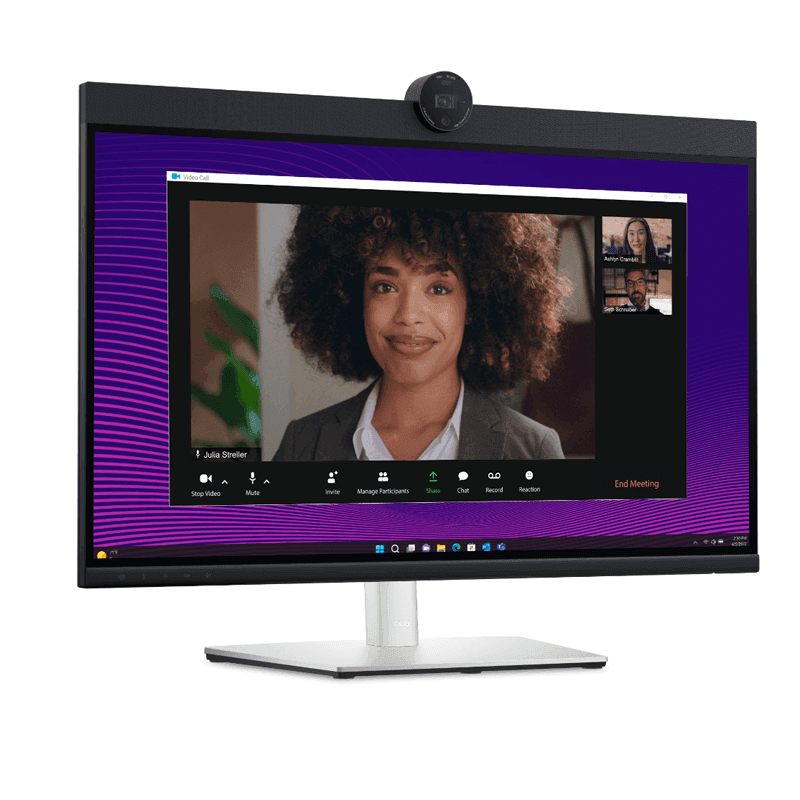
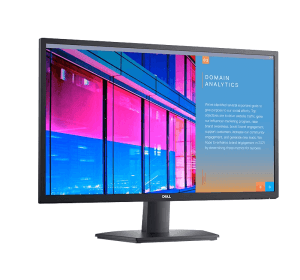
Dell Pro 24 Plus Video Conferencing Monitor – P2424HEB
Availability:
In Stock
Screen size: 23.8 inches
Panel type: IPS
Resolution: Full HD, 1920 × 1080
Refresh rate: 60Hz
Aspect ratio: 16:9
Brightness: 250 cd/m² typical
Response time: 5ms grey-to-grey Fast; 8ms Normal
Screen coating: Anti-glare, 3H hard coating
Webcam: 4MP RGB + IR camera
Camera video modes: 2K at 30fps; Full HD at 60fps
Microphones: Two integrated digital microphones
Speakers: Two built-in 5W speakers
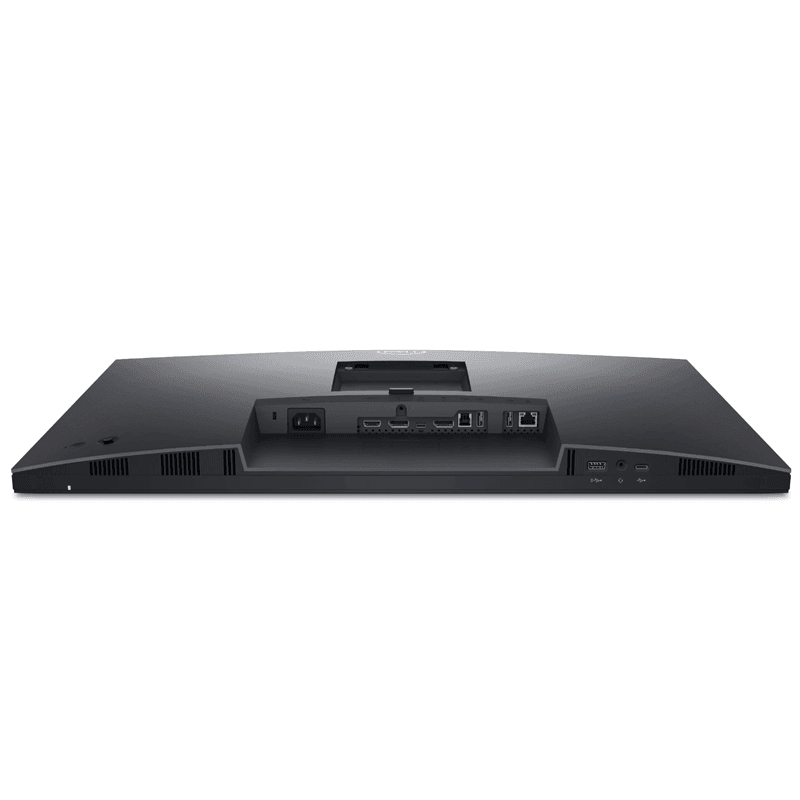
USB-C upstream: USB 3.2 Gen 1, DisplayPort 1.2 Alt Mode, up to 90W power delivery
USB-C downstream: One USB-C port, up to 15W power delivery
USB-A downstream: Three ports in total, including one BC 1.2 port
USB-B upstream: One USB 3.2 Gen 1 Type-B
Video inputs: HDMI 1.4 and DisplayPort 1.2
DisplayPort output: DisplayPort out with MST
Network: RJ-45 Gigabit Ethernet
Audio: 3.5mm headphone/microphone combo jack
Ergonomics: Height, tilt, swivel and pivot
Secure Payment Options
Your payment information is processed securely. We do not store credit card details nor have access to your credit card information. NB: Prices are subject to change without notice
Shop for Dell Pro 24 Plus Video Conferencing Monitor – P2424HEB in Nairobi, Kenya
Transform your workspace with the Dell Pro 24 Plus Video Conferencing Monitor P2424HEB, a professional 23.8-inch Full HD monitor designed for modern offices, remote work, online meetings and business productivity. Combining a sharp IPS display, an intelligent built-in webcam, integrated microphones, powerful speakers and USB-C docking, this Dell monitor helps you create a cleaner and more convenient workstation.
Whether you work from a corporate office in Nairobi, manage a business in Mombasa, attend virtual meetings from home or collaborate with colleagues across Kenya, the Dell P2424HEB is designed to make communication and everyday computing more convenient.
Its 1920 × 1080 Full HD resolution, 99% sRGB colour coverage and anti-glare screen provide a comfortable viewing experience for documents, spreadsheets, presentations and video calls. The integrated 4MP RGB and IR camera, dual digital microphones and two 5W speakers help you join online meetings without needing a separate webcam, microphone and desktop speaker setup.
With USB-C connectivity supporting up to 90W power delivery, built-in Gigabit Ethernet, multiple USB ports and an ergonomic stand, this is more than an ordinary computer monitor. It can serve as a central connection point for a compatible laptop workstation.
If you are looking for a premium Dell monitor in Kenya to complement a Dell, Lenovo, HP or other compatible laptop, the P2424HEB offers a practical combination of display quality, conferencing features and connectivity.
Key Features and Benefits of the Dell P2424HEB Monitor
1. 23.8-Inch Full HD IPS Display for Clear, Detailed Images
Enjoy a spacious and clear workspace with the 23.8-inch Full HD IPS display. Its 1920 × 1080 resolution provides sharp text and detailed visuals for everyday office applications, online research, spreadsheets, presentations and video conferencing.
The IPS panel supports wide 178-degree horizontal and vertical viewing angles, helping images remain consistent when viewed from different positions. This is useful in collaborative workplaces where colleagues may look at content together.
With a typical brightness of 250 nits, a 1,000:1 contrast ratio and up to 16.7 million colours, the monitor is suited to general productivity and communication. Its 99% sRGB colour coverage also supports consistent colour reproduction for everyday visual work.
2. Integrated 4MP Webcam for Professional Video Meetings
Make virtual meetings more convenient with the built-in 4MP RGB and infrared camera. The camera supports 2K video at 30 frames per second and Full HD video at up to 60 frames per second, depending on the selected mode and application.
The integrated camera helps you attend online meetings, virtual interviews, training sessions and client presentations without purchasing a separate webcam.
The infrared capability supports compatible facial-recognition features, including Windows Hello when the computer, operating system and configuration support it. Dell also includes privacy and camera-management features designed to support more secure meeting experiences.
For businesses and remote workers in Kenya, the built-in webcam helps simplify a workstation while keeping video communication readily accessible.
3. Dual Microphones and Built-In 5W Stereo Speakers
Communicate more conveniently with the monitor’s two integrated digital microphones and dual 5W speakers. This all-in-one conferencing setup is useful for online meetings, remote collaboration, webinars, virtual classes and everyday video calls.
The integrated microphones are designed to capture speech, while the built-in speakers let you hear meeting participants without requiring separate desktop speakers for routine use.
This helps reduce desk clutter and simplifies the equipment required for a professional video-conferencing setup. A compatible headset can also be connected through the monitor’s 3.5mm headphone/microphone combo jack when you need more private listening.
4. USB-C Connectivity with Up to 90W Power Delivery
One of the major benefits of the Dell P2424HEB is its USB-C connection with DisplayPort 1.2 Alt Mode and power delivery up to 90W.
Connect a compatible laptop to the monitor using a single USB-C cable to transmit video, access the monitor’s USB hub and provide power to the laptop, provided the laptop supports the necessary USB-C features and power requirements.
This can reduce cable clutter and make it easier to connect and disconnect your workstation throughout the day. It is especially useful for employees who move between meeting rooms, home offices and shared desks.
The monitor can work with compatible Dell Latitude, Dell XPS, Lenovo ThinkPad, Lenovo IdeaPad and HP laptops. Check your laptop’s USB-C video output and charging requirements before purchasing, as not every USB-C port supports video or charging.
5. Built-In Gigabit Ethernet for Wired Network Connectivity
Enjoy an additional networking option with the monitor’s integrated RJ-45 Gigabit Ethernet port. A compatible laptop can use the monitor’s network connection through the supported USB-C docking setup, helping reduce the need for a separate USB-to-Ethernet adapter.
Wired Ethernet can be useful for office networks, video meetings, cloud applications and other work that benefits from a stable network connection.
This feature is particularly convenient for businesses that prefer wired networking for their desktop workstations. Actual network performance depends on your router, network equipment, internet service and connected computer.
6. USB Hub for Everyday Office Accessories
The Dell P2424HEB includes multiple USB ports that help connect compatible peripherals and reduce the need to reach for your laptop’s ports.
Available connections include:
Two USB 3.2 Gen 1 Type-A downstream ports.
One USB 3.2 Gen 1 Type-C downstream port with power delivery up to 15W.
One USB 3.2 Gen 1 Type-A downstream port with BC 1.2 charging support up to 2A.
One USB 3.2 Gen 1 Type-B upstream port for the supported USB hub connection.
Connect compatible keyboards, mice, USB storage devices and other office accessories. Some connections and hub features require the monitor to be connected to the computer using the appropriate upstream cable.
For busy offices, this arrangement makes it easier to organise a workstation around one monitor rather than repeatedly connecting every accessory directly to the laptop.
7. HDMI and DisplayPort for Flexible Display Connections
The Dell P2424HEB offers standard display connections for use with compatible computers and other video sources.
HDMI 1.4: Connect compatible computers and video devices.
DisplayPort 1.2 input: Connect a compatible desktop or laptop with DisplayPort output.
DisplayPort output with MST: Support compatible multi-monitor daisy-chain configurations.
The DisplayPort Multi-Stream Transport feature can help extend a compatible workstation to additional monitors, depending on the graphics hardware, operating system, supported resolutions and connection setup.
This flexibility makes the P2424HEB suitable for office environments where employees may use laptops, desktop PCs or compatible multi-display configurations.
8. Ergonomic Stand for a More Comfortable Workspace
Create a workstation that suits your working position with the monitor’s adjustable stand. The Dell P2424HEB supports height, tilt, swivel and pivot adjustments.
Height adjustment: Up to 150mm.
Tilt: Approximately -5° to 21°.
Swivel: Up to 45° in either direction.
Pivot: Up to 90° in either direction.
Adjust the screen to a comfortable viewing height, angle it to reduce distracting reflections or rotate it to portrait orientation for long documents and code.
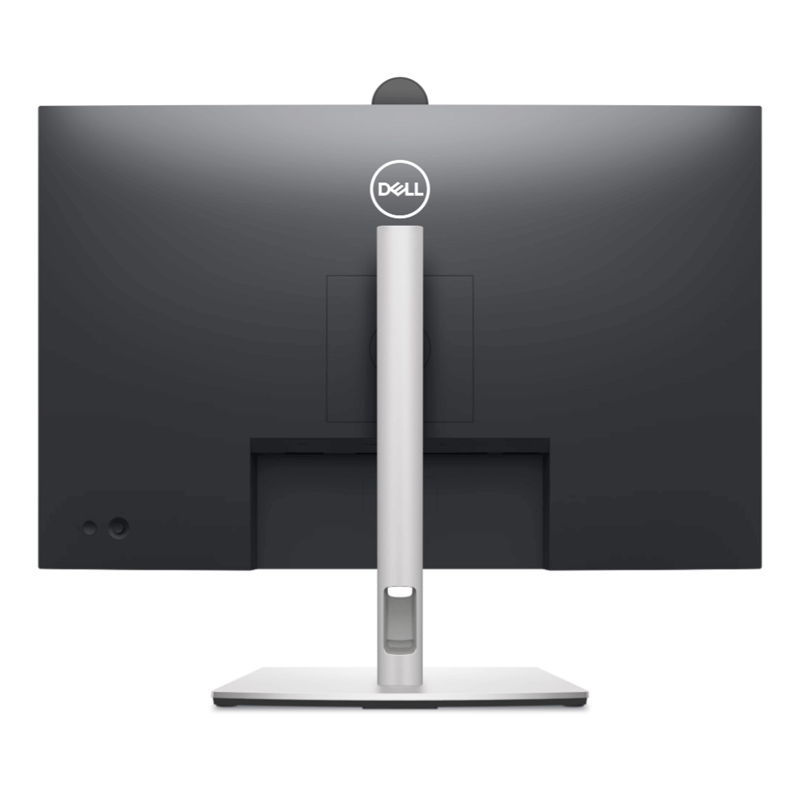
The monitor also supports a 100 × 100mm VESA mounting interface, allowing installation on a compatible monitor arm or wall mount. A separate mount may be required.
9. ComfortView Plus and Flicker-Free Viewing
For people who spend many hours working on spreadsheets, emails, reports and online meetings, screen comfort matters.
The Dell P2424HEB includes TÜV-certified ComfortView Plus low-blue-light technology and flicker-free operation. These features are designed to reduce certain sources of visual discomfort while maintaining the monitor’s colour performance.
The anti-glare screen coating helps limit distracting reflections under typical office lighting conditions.
These features do not eliminate eye fatigue for everyone. Taking regular breaks, adjusting screen brightness and maintaining a comfortable viewing distance remain important during extended computer use.
10. Professional Design and Multi-Monitor Support
The Dell P2424HEB features a professional design suited to modern offices, meeting rooms and home workstations. Its adjustable stand and versatile connections make it useful for a range of desk layouts.
Support for DisplayPort daisy-chaining and Multi-Monitor Sync helps compatible business setups manage multiple displays. Auto KVM features can also support workflows involving more than one computer, subject to the required connections and configuration.
Dell Display and Peripheral Manager provides additional tools for managing supported display and peripheral settings.
The result is a monitor designed to support more than basic screen output: it can help bring video conferencing, peripheral connections and workstation management together in one place.
Who Should Buy the Dell Pro 24 Plus P2424HEB in Kenya?
Businesses and corporate offices: Create modern workstations for employees who rely on video calls, email, documents, spreadsheets and collaboration tools.
Remote and hybrid workers: Use the integrated camera, microphones, speakers and USB-C docking features to simplify working from home or a shared office.
Managers and professionals: Improve the everyday meeting experience when communicating with clients, colleagues and teams in different locations.
Schools and training organisations: Support compatible online lessons, virtual training sessions, presentations and administrative tasks.
IT teams and business users: Take advantage of USB connectivity, Ethernet and multi-monitor support in compatible workstation environments.
Laptop owners: Expand your working area and connect peripherals to compatible Dell, Lenovo, HP and other USB-C or DisplayPort-equipped computers.
Consultants and freelancers: Build a tidy workspace for online consultations, remote projects, document preparation and client meetings.
For high-refresh-rate gaming or specialist colour-critical production, compare the monitor’s 60Hz refresh rate and Full HD resolution with the requirements of your specific workload.