Secure Payment Options
Your payment information is processed securely. We do not store credit card details nor have access to your credit card information. NB: Prices are subject to change without notice
Buy the Dell Pro 32 Plus 4K USB-C Hub Monitor- P3225QE – 31.5-Inch UHD, 100Hz, USB-C 90W- in Nairobi, Kenya
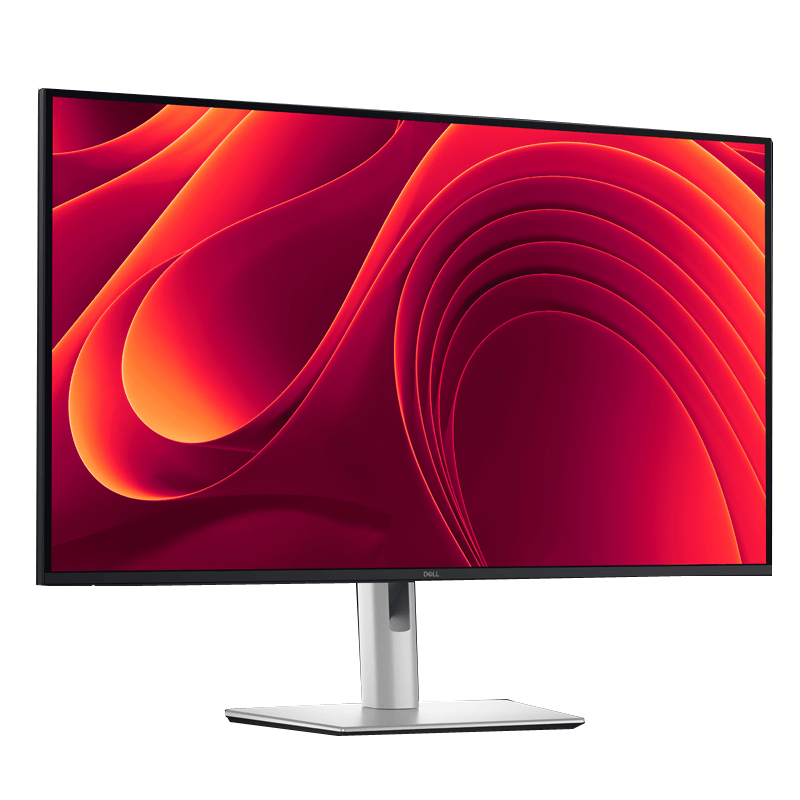
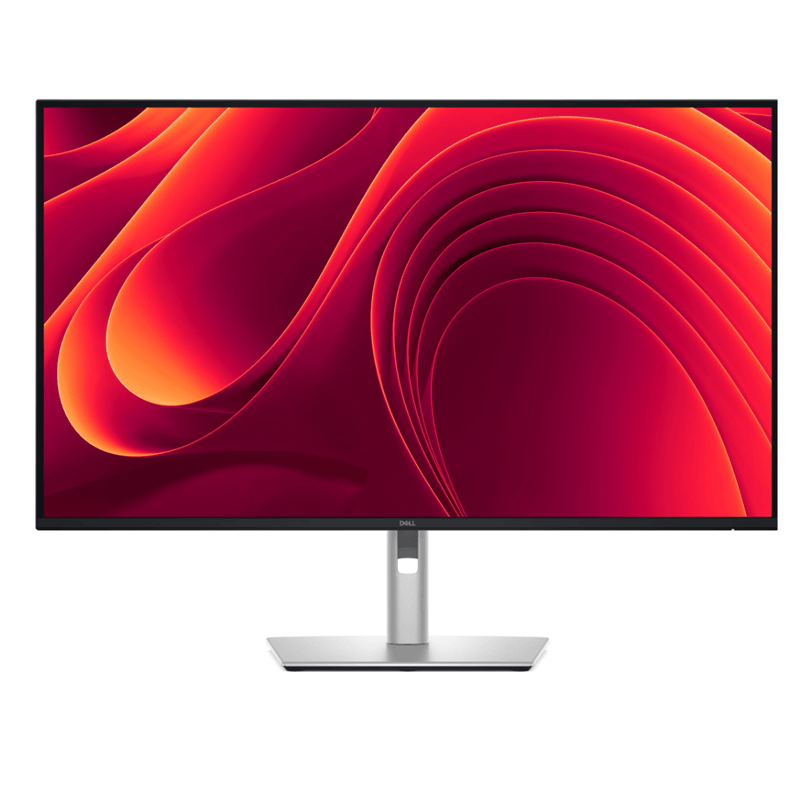
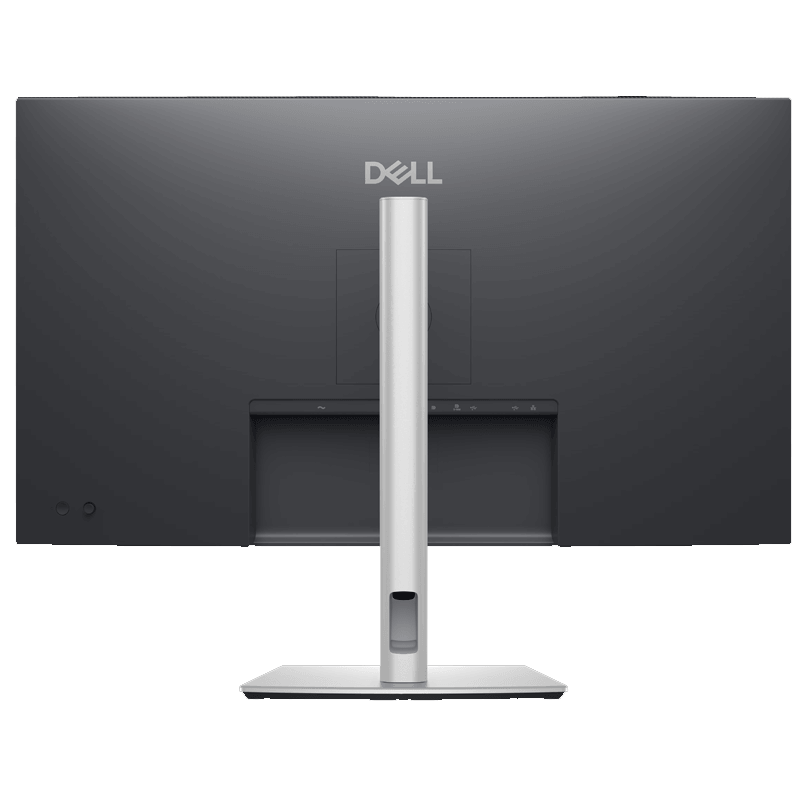
Upgrade your office or home workstation with the Dell Pro 32 Plus 4K USB-C Hub Monitor P3225QE, a professional 31.5-inch monitor designed for productivity, detailed visuals and convenient laptop connectivity. With 4K Ultra HD resolution, a smooth 100Hz refresh rate, an IPS panel and integrated USB-C docking, this Dell monitor is an excellent option for professionals, businesses, remote workers and users who need a spacious, modern display.
Designed for demanding everyday work, the Dell P3225QE combines a large screen with a built-in USB hub, Gigabit Ethernet and up to 90W USB-C power delivery. Connect a compatible laptop using one USB-C cable to send video, connect supported peripherals and charge your computer, helping reduce desk clutter and simplify your workstation.
Whether you are working in an office in Nairobi, managing business documents in Mombasa, studying from home or building a productive workspace anywhere in Kenya, the Dell Pro 32 Plus offers a practical blend of screen size, clarity, connectivity and ergonomic comfort.
If you are searching for a Dell 32-inch 4K monitor in Kenya to complement a Dell, Lenovo, HP or other compatible laptop or desktop computer, the P3225QE is built to support an efficient everyday computing experience.
Key Features and Benefits of the Dell P3225QE Monitor
1. Large 31.5-Inch 4K UHD Display
Enjoy a spacious digital workspace with the 31.5-inch 4K UHD screen, delivering a resolution of 3840 × 2160 pixels. With approximately four times the pixel count of Full HD, the display provides detailed text, sharp images and ample room for multiple windows.
This is particularly useful for professionals working with spreadsheets, financial reports, presentations, business dashboards, research documents and large datasets. The expanded workspace helps you view more information without constantly switching between windows.
For everyday use, the large screen is also well suited to web browsing, video content, online learning and general productivity.
2. IPS Panel with Wide Viewing Angles
The Dell P3225QE uses In-Plane Switching (IPS) technology to deliver consistent image quality across wide viewing angles of up to 178 degrees horizontally and vertically.
This makes the monitor useful in professional workspaces where you may occasionally share screen content with colleagues or view the display from different seating positions.
The 1,500:1 typical contrast ratio helps distinguish darker and lighter areas, while the 350-nit typical brightness supports visibility in typical office environments.
3. Smooth 100Hz Refresh Rate
The monitor supports a refresh rate of up to 100Hz at 4K UHD resolution. Compared with a standard 60Hz monitor, the higher refresh rate can make scrolling, moving windows and navigating applications appear smoother.
This is beneficial for office professionals who spend long hours working across documents, spreadsheets and browser windows. It also provides a more fluid experience when viewing supported video content and performing everyday desktop tasks.
The P3225QE is primarily designed as a productivity monitor rather than a dedicated high-refresh-rate gaming display. Your computer and connection must support the resolution and refresh rate you want to use.
4. USB-C Connectivity with Up to 90W Power Delivery
One of the most valuable features of the Dell P3225QE is its USB-C upstream connection with DisplayPort 1.4 Alt Mode and up to 90W power delivery.
With a compatible laptop, a single USB-C connection can carry video, enable the monitor’s supported USB hub features and provide power to the laptop. This reduces the need to connect separate video, USB and charging cables for everyday desk use.
It is especially useful for hybrid workers, consultants and business users who regularly move between home, office and shared workstations.
The monitor can suit compatible Dell Latitude, Dell XPS, Lenovo ThinkPad, Lenovo IdeaPad and HP laptops. Check that the laptop’s USB-C port supports video output and charging, and confirm its power requirements before purchase.
5. Built-In USB Hub for Office Accessories
Simplify your desk setup with the monitor’s integrated USB hub. Connect compatible accessories to the monitor instead of repeatedly plugging them directly into your laptop.
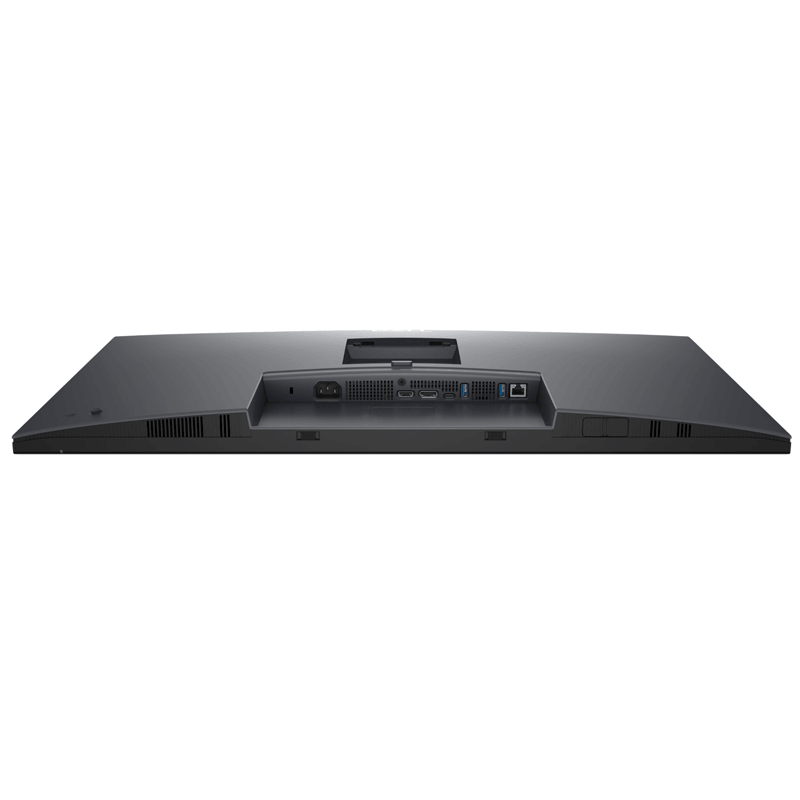
The P3225QE includes:
3 × USB Type-A downstream ports, supporting up to 5Gbps.
1 × USB-C downstream port, supporting data transfer up to 5Gbps and power delivery up to 15W.
1 × USB-C upstream port, supporting video, USB connectivity and up to 90W laptop power delivery.
Use the available ports for compatible keyboards, mice, USB storage devices and other peripherals. The USB hub’s functionality depends on the appropriate upstream connection to your computer.
This setup is useful for offices that want cleaner workstations and fewer loose cables.
6. Built-In Gigabit Ethernet for Reliable Wired Networking
The Dell P3225QE includes an RJ-45 Gigabit Ethernet port, allowing compatible computers to access a wired network through the monitor’s supported USB-C connection.
A wired connection can be useful for business applications, shared files, video meetings and cloud-based work, especially in offices where Ethernet is preferred.
This can also reduce the need to purchase a separate USB-to-Ethernet adapter for compatible laptop setups. Network performance depends on your router, network infrastructure, internet connection and connected computer.
7. HDMI 2.1 and DisplayPort 1.4
Connect the monitor to a wide range of compatible computers and display sources using its video inputs:
1 × HDMI 2.1 port: Supports compatible 4K UHD input up to 100Hz.
1 × DisplayPort 1.4: Supports compatible 4K UHD input up to 100Hz.
USB-C DisplayPort Alt Mode: Enables video input through a compatible USB-C laptop connection.
These options provide flexibility when setting up a desktop workstation or connecting a compatible laptop.
If your computer only provides USB-C video output, check the supported output mode and cable specifications before choosing an adapter. The monitor does not include a built-in webcam or speakers, so you may need separate conferencing and audio equipment.
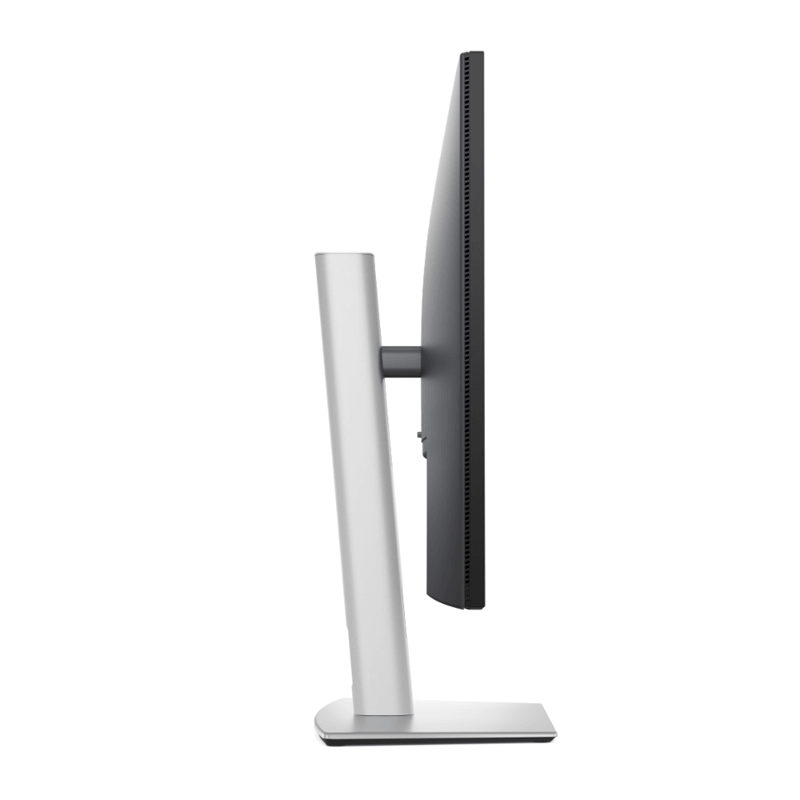
8. Ergonomic Stand with Height, Tilt, Swivel and Pivot
Make your workstation more comfortable with the monitor’s adjustable stand. The Dell P3225QE supports multiple adjustments so you can position the screen to suit your desk and seating position.
Height adjustment: Up to approximately 150mm.
Tilt: Approximately -5° to 21°.
Swivel: Up to 30° left or right.
Pivot: Up to 90° in either direction.
Height adjustment helps position the display at a comfortable viewing level. Tilt and swivel make it easier to adjust the angle, while pivot can be useful when working with long documents or portrait-oriented content.
The monitor also supports a 100 × 100mm VESA mount, allowing installation on a compatible monitor arm or wall mount. A separate mounting accessory may be required.
9. ComfortView Plus and TÜV-Certified Eye Comfort
For professionals who spend much of the day in front of a computer, viewing comfort matters. The Dell P3225QE features ComfortView Plus low-blue-light technology and flicker-free operation.
Its anti-glare coating helps reduce distracting reflections, while Dell lists a TÜV-certified four-star eye-comfort rating for the monitor.
These features are designed to support a more comfortable viewing experience without sacrificing normal colour performance. Individual comfort varies, so adjusting brightness, maintaining a suitable viewing distance and taking regular breaks remain important.
10. Accurate Everyday Colour and Professional Design
The Dell P3225QE supports 99% sRGB colour coverage and up to 1.07 billion colours. This makes it suitable for presentations, business graphics, photography viewing and general creative work where consistent everyday colour is important.
The narrow-bezel design and professional finish fit naturally into corporate offices, home workstations and modern business environments.
For colour-critical professional production, consider whether your workflow requires hardware calibration or a display with more specialised colour specifications.
11. Dell Display and Peripheral Manager
The monitor supports Dell Display and Peripheral Manager, which provides tools for managing compatible display settings and supported peripherals.
Features such as Easy Arrange can help organise windows across the screen, making it easier to structure a workspace for multitasking. Supported management features may vary by operating system and connected equipment.
For IT teams and businesses managing multiple workstations, Dell’s management tools can help simplify everyday monitor configuration.
Who Should Buy the Dell Pro 32 Plus P3225QE in Kenya?
Corporate offices and SMEs: Build professional workstations for finance, administration, management, reporting and daily business applications.
Remote and hybrid workers: Use USB-C docking to simplify connections between a compatible laptop, monitor, network and peripherals.
Finance and data professionals: Benefit from the spacious 4K screen when reviewing spreadsheets, reports, dashboards and large documents.
Students and researchers: Enjoy a large display for research, assignments, online learning and multitasking.
Consultants and freelancers: Create an organised workstation for projects, presentations, communication and client work.
Laptop owners: Expand your working area with a compatible Dell, Lenovo, HP or other USB-C/DisplayPort-equipped laptop.
IT departments: Use the monitor’s USB hub, Ethernet and display connections to create consistent workstation setups.